
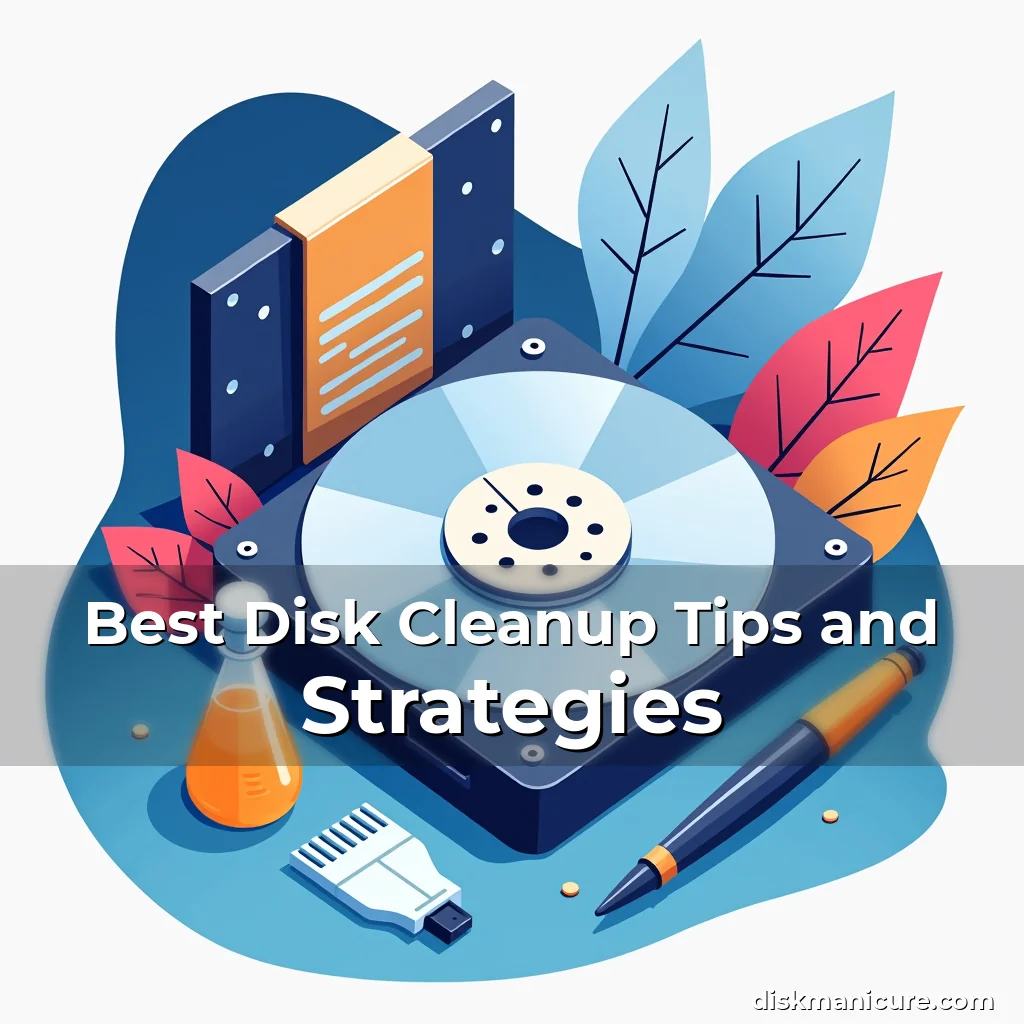
The Ultimate Digital Detox: Mastering Disk Cleanup for Optimal Performance
In today’s data-driven world, where files multiply faster than we can organize them, maintaining your computer’s health is not just recommended—it’s essential. From temporary internet files to redundant backups, digital clutter accumulates silently until performance begins to suffer. The key lies in mastering effective disk cleanup strategies that safeguard both system efficiency and user experience.
This guide will arm you with practical techniques, hidden tools, and expert insights tailored specifically for disk management enthusiasts. Whether you’re troubleshooting slow systems or simply seeking better organization, these methods will transform how you approach storage maintenance.
Understanding the Anatomy of Digital Clutter
Digital clutter manifests in many forms, each contributing uniquely to decreased system performance. Temporary files created by web browsers store cache information that often becomes obsolete after use. System-generated logs track application behavior but can balloon in size over time without regular review.
Cookies enable personalized browsing experiences yet accumulate unnecessary tracking data. Download folders frequently contain outdated software installers and incomplete transfers. These elements collectively consume valuable disk space while potentially compromising privacy through stored personal information.
- Browsing history: Tracks visited websites and search terms, creating potential security risks if accessed by others
- Application caches: Store temporary data for quick access, which can become corrupted or outdated
- Error reports: Contain diagnostic information useful only during troubleshooting sessions
- System restore points: Provide recovery options but take up significant storage space over time
Recognizing these components allows users to prioritize cleanup efforts effectively. While some items offer functional benefits when current, others represent pure overhead requiring periodic removal. Understanding this distinction empowers informed decision-making regarding what stays and what goes.
Modern operating systems automatically manage many aspects of digital hygiene, but manual oversight remains crucial. Regular audits help identify anomalies—such as suspiciously large file sizes or unfamiliar directories—that might indicate malware activity or accidental duplication errors.
Essential Tools for Effective Disk Management
A robust toolkit is vital for efficient disk cleanup operations. Operating system utilities provide foundational capabilities, while third-party applications enhance functionality with advanced features. Combining these resources creates a comprehensive strategy tailored to individual needs.
Windows users benefit from built-in tools like Disk Cleanup and Storage Sense, which automate routine tasks. Mac OS offers similar functionalities through Optimized Storage and Spotlight Search. However, specialized software adds layers of control beyond basic system functions.
Native System Utilities
Operating systems include native utilities designed for everyday maintenance. Windows’ Disk Cleanup tool identifies removable files such as temporary Internet Explorer files, thumbnail cache, and update residues. Mac OS employs a less visible approach, cleaning up old downloads and optimizing storage through intelligent algorithms.
These utilities operate at different levels of automation. Windows provides more granular control through Advanced Options, allowing users to delete system error memory dumps or clear out Windows Update Cleanup. macOS focuses on seamless integration rather than explicit user prompts for deletion actions.
While convenient, relying solely on automatic processes carries risks. Overzealous cleanups might remove necessary system files, causing instability. Users must understand exactly what they’re deleting before proceeding with automated scans.
Third-Party Applications
Specialized software extends disk management capabilities far beyond standard utilities. CCleaner, BleachBit, and Wise Disk Cleaner offer deeper analysis with customizable settings. These tools scan for orphaned registry entries, duplicate files, and fragmented data structures that impact performance.
Some programs feature real-time monitoring functions that alert users to unusual disk usage patterns. Others integrate cloud storage solutions, enabling selective backup of critical documents while removing local duplicates. This hybrid approach optimizes available space across multiple devices.
Choosing the right application depends on technical proficiency and specific requirements. Basic users may prefer simplified interfaces with minimal configuration options, whereas power users appreciate full customization controls and scripting capabilities.
Step-by-Step Disk Cleaning Process
An organized approach ensures thorough yet efficient disk cleanup. Begin by assessing current storage conditions using built-in diagnostics tools. Identify problem areas such as excessively large files or underutilized partitions before initiating any deletions.
Create a safe working environment first. Back up critical data to external drives or cloud services before performing any destructive operations. Establish a clear workflow sequence—from identifying targets to executing removals—with documented steps for future reference.
Preparation Phase
Gather necessary tools including trusted cleanup software, external storage media, and documentation notes. Verify system requirements for any new applications being installed. Ensure sufficient battery life for laptops undergoing extended maintenance procedures.
Organize workspace physically and digitally. Clear desk area of distractions; close unrelated browser tabs and background applications to prevent interference during cleanup activities. Set aside dedicated time blocks to avoid interruptions affecting concentration levels.
Review existing backup schedules and ensure recent copies exist for important projects. Confirm cloud sync status across all connected devices to maintain consistency between physical and virtual environments. Document initial storage metrics for post-cleanup comparison purposes.
Execution Strategy
Begin with low-risk operations like clearing browser caches and temporary files. Proceed systematically through identified categories—starting with non-essential data then moving toward more sensitive material. Maintain strict verification protocols to confirm accuracy of selected items prior to deletion.
Utilize multi-step confirmation processes whenever possible. Many reputable cleaners require double-checking before final removal. For uncertain files, create separate quarantine folders instead of immediate deletion to allow later evaluation periods.
Maintain continuous progress tracking throughout the process. Record timestamps, file names, and approximate sizes removed at various intervals. This documentation aids in auditing effectiveness and identifying recurring issues needing attention.
Optimizing Storage Through Intelligent Organization
Effective organization reduces long-term maintenance demands significantly. Implement smart folder structures that categorize content logically based on function, project type, and accessibility frequency. Avoid flat directory hierarchies that become unmanageable as collections grow.
Adopt consistent naming conventions across all digital assets. Include date stamps, version numbers, and descriptive titles to facilitate easy retrieval. Standardize extensions and formatting rules to minimize confusion among multiple creators accessing shared repositories.
Leverage metadata tagging systems wherever available. Assign relevant keywords to files for improved searchability within organizational frameworks. Utilize cloud-based indexing solutions that cross-reference tags across multiple platforms seamlessly.
Implement retention policies governing how long certain types of files remain accessible. Automatic archiving mechanisms shift infrequently used documents to secondary storage locations without manual intervention required. This proactive approach prevents accidental accumulation of obsolete materials.
Troubleshooting Common Disk Issues
Frequent system slowdowns often originate from disk-related problems rather than hardware failures. Recognizing early warning signs enables timely interventions before severe degradation occurs. Monitor disk utilization rates regularly using task managers and resource monitors.
Unusual noises from hard drives signal impending mechanical failure. Clicking sounds typically precede complete drive loss, necessitating immediate data migration plans. Solid state drives rarely produce audible warnings but still degrade gradually over time.
Performance fluctuations may indicate fragmentation issues in traditional HDDs. Modern SSDs don’t suffer from fragmentation but still benefit from defragmentation routines for optimal read/write speeds. Schedule routine checks according to manufacturer recommendations.
Corrupted file systems manifest through erratic behaviors like missing icons or inaccessible directories. Run chkdsk commands periodically to detect and repair logical inconsistencies. Backup integrity checks verify that saved data remains recoverable even after system crashes.
Advanced Techniques for Power Users
Proficient users employ sophisticated tactics to maximize storage efficiency. File deduplication eliminates exact replicas occupying extra space. Volume Shadow Copy Services (VSS) manages system restore points efficiently without excessive consumption.
Partition management tools allow resizing and reorganizing disk layouts dynamically. Logical volume managers create flexible storage arrangements independent of physical limitations. These approaches optimize disk allocation according to changing workload requirements.
Scripting automates repetitive tasks through batch processing commands. PowerShell scripts handle complex operations ranging from bulk renaming to targeted deletion sequences. Customizable profiles let users define precise parameters controlling execution scope.
Cloud synchronization integrates remote storage solutions with local systems intelligently. Smart sync technologies determine which versions stay locally versus those pushed online. This balance maintains availability while preventing unnecessary replication of identical content.
Security Considerations During Disk Maintenance
Safeguarding private information requires careful handling during cleanup operations. Sensitive data remnants left behind could expose confidential details if improperly disposed of. Secure erase methodologies overwrite deleted contents thoroughly rather than leaving traces recoverable via forensic tools.
Data sanitization standards vary depending on disposal contexts. Simple deletion suffices for casual users, while organizations need military-grade wiping protocols meeting compliance regulations. Choose appropriate methods matching threat exposure levels expected from particular datasets.
Password protection prevents unauthorized access to restricted directories containing proprietary materials. Encryption transforms readable content into indecipherable strings requiring decryption keys for access. Combine these measures for layered defense against potential breaches.
Physical security complements digital protections by restricting direct device access. Biometric authentication adds another layer verifying legitimate operators attempting to manipulate system configurations. Together, these form holistic security architectures defending against multifaceted threats.
Creating Sustainable Disk Hygiene Practices
Educating oneself continuously improves long-term maintenance effectiveness. Stay updated with evolving best practices through industry publications and professional networks. Attend workshops focusing on emerging trends shaping modern computing landscapes.
Establish habit-forming routines ensuring regular upkeep becomes second nature. Allocate weekly time slots for light maintenance tasks alongside monthly deep dives addressing more intensive concerns. Consistency yields better results compared to sporadic checkups driven purely by urgency.
Collaborate with colleagues sharing common workspaces to develop unified cleanup standards. Cross-training promotes mutual understanding of maintenance priorities across departments. Shared knowledge bases reduce redundancy while improving overall operational efficiencies.
Document all procedures meticulously for reference during future cycles. Version-controlled records track changes made overtime, facilitating rollback possibilities if missteps occur. Auditable trails demonstrate due diligence performed towards maintaining system reliability standards.
Conclusion
Mastering disk cleanup transcends simple housekeeping—it’s an investment in system longevity and productivity gains. By implementing structured strategies and utilizing available tools wisely, users achieve remarkable improvements in performance metrics and overall digital well-being.
Regular practice cultivates habits leading to sustained success. Remember, every byte freed contributes positively toward smoother operation experiences. Embrace this journey toward optimized computing environments and enjoy the tangible rewards of disciplined digital stewardship.

news is a contributor at DiskManicure. We are committed to providing well-researched, accurate, and valuable content to our readers.
You May Also Like


Try Our Professional Nail Care Tools
Get accurate calculations for perfect manicures every time.